How to Automate Lead Follow-Up With AI (Step-by-Step)
Most leads go cold because nobody replies fast enough. Here is a practical AI follow-up system that responds in minutes, qualifies the lead, and hands warm conversations to your team.
Most small businesses do not lose leads because their offer is weak. They lose them because the reply comes too late.
A form comes in at 9:12 p.m. Nobody sees it until morning. By then the prospect has already messaged two other companies. That gap — minutes versus hours — is where AI lead follow-up pays for itself.
This guide walks through a practical system you can build in days, not months: capture the lead, reply fast, qualify the need, book the next step, and hand off to a human when it matters. It expands on workflow #2 from our guide to AI automation for small business.
Why speed beats perfect messaging
In service businesses, agencies, clinics, trades, and B2B sales, the first useful reply usually wins the conversation. Perfect copy that arrives tomorrow loses to a clear, helpful reply that arrives in two minutes.
AI does not replace your sales conversation. It protects the window where the conversation can still happen.
A good AI follow-up system should:
Reply within minutes, including nights and weekends
Sound like your business, not a generic chatbot
Ask only the questions you need to qualify the lead
Offer a booking link or clear next step
Escalate to a person when the lead is ready, confused, or high value
If your team still starts every day by digging through unread form emails, this is the first workflow to automate.
What “automated lead follow-up” actually means
It is not one tool. It is a short chain:
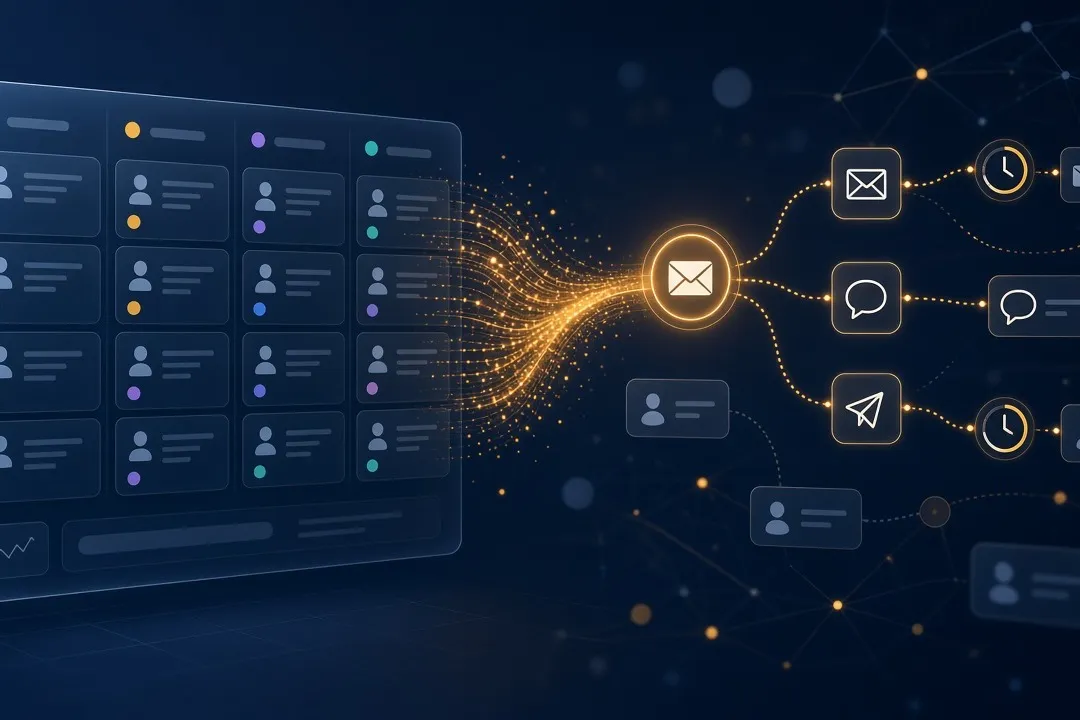
Lead arrives → record is created → AI first reply goes out → lead answers → AI qualifies or books → human takes over
Typical sources:
Website contact forms
Landing page forms
Chat widgets
WhatsApp or Facebook enquiries
Inbound emails to sales@ or info@
Missed-call callbacks
The channel can change. The logic should stay the same.
Step 1: Map your current follow-up (before picking tools)
Write the process on one page. If you cannot explain it simply, automation will amplify the mess.
Answer these questions:
Where do leads come from today?
Who sees them first?
How long until the average first reply?
What do you ask in the first three messages?
When does a lead become “qualified”?
What is the next step you want — a call, a quote request, or a booked meeting?
When must a human take over?
Example for a service business:
Lead fills the contact form
Notification goes to a shared inbox
Owner replies when free
Asks about service type, location, timeline, and budget
Sends pricing range or books a call
Follows up once if there is no reply
Your AI version should mirror that flow — just faster and more consistent.
Step 2: Clean the inputs AI will use
AI follow-up fails when the source data is messy. Before launch, fix four things:
Form fields — Ask for name, contact method, service needed, and one urgency field. Do not ask for a novel.
CRM hygiene — One place for leads. Duplicate sheets and WhatsApp notes kill automation.
Service list — A short, clear list of what you sell and what you do not sell.
Approved answers — Pricing ranges, coverage areas, turnaround times, and FAQs in plain language.
Give the AI a playbook. Vague instructions produce vague replies.
Step 3: Define the first-reply rules
Your first AI message should do three jobs only:
Confirm you received the enquiry
Show you understood the request
Ask one or two qualifying questions, or offer a booking link
First-reply template structure
Greeting with their name
One sentence that mirrors their request
One clarifying question
Clear next step
Soft human escape hatch (“Prefer to talk to someone? Reply CALL and we’ll connect you.”)
Example
Hi Sara — thanks for reaching out about website redesign for your clinic. To point you the right way: are you looking to refresh an existing site, or build a new one? If it helps, you can also book a 15-minute call here: [booking link]. Prefer WhatsApp with a person? Reply HUMAN and we’ll take it from there.
Keep the first message short. Long pitches in message one feel automated in the worst way.
Step 4: Build the qualification path
After the first reply, AI should branch based on answers — not dump every question at once.
Useful qualification fields for most small businesses:
Service or product of interest
Location or market
Timeline (urgent / this month / researching)
Budget range (optional, soft)
Company size or role (for B2B)
Preferred contact channel
Branching examples
Ready now + clear need → offer booking link immediately
Researching → send a short guide or FAQ, then follow up in 2–3 days
Out of area / wrong service → polite decline and optional referral
High value / complex → alert a human right away
No reply → send a short bump, then a final close-out message
Do not let the bot interrogate people. Two good questions beat eight robotic ones.
Step 5: Set the timing sequence
A simple sequence that works for many businesses:
Trigger | Timing | Action |
|---|---|---|
New lead | Immediate (under 2 minutes) | Personalised first reply |
No response | +24 hours | Short bump with one question or booking link |
Still no response | +72 hours | Final message + soft close |
Lead replies | Immediate | Continue qualification / booking |
Lead books | Immediate | Confirmation + human notification |
Lead asks for a person | Immediate | Escalate with full conversation history |
Adjust the gaps for your sales cycle. A dentist booking next-week appointments needs a tighter loop than a B2B software deal.
Step 6: Connect the tools (simple stack)
You do not need a huge stack. You need reliable connections.
A practical setup:
Capture — Website form, chat, WhatsApp, or email parser
Record — CRM or spreadsheet that becomes your source of truth
Brain — AI assistant with your playbook, services, and tone
Send — Email, SMS, or WhatsApp channel
Book — Calendar booking page
Alert — Slack, email, or mobile push to the human owner
Build order
Form → CRM record
CRM record → AI first reply
AI reply → booking link
Booking / “HUMAN” keyword → team alert
No-reply reminders
Get step 1 and 2 solid before you add clever branching. Broken capture makes every later step useless.
Step 7: Write the handoff rules (this is where most bots fail)
Customers accept AI when it is useful and honest. They hate dead ends.
Hand off to a human when:
The lead asks for a person
Budget or scope is above your threshold
The request is emotional, angry, or confused
The AI is unsure
Legal, medical, financial, or custom pricing advice is needed
The lead has replied 3+ times and still has not booked
Every handoff should include:
Lead name and contact
Source channel
Summary of need
Qualification answers
Full transcript
Suggested next action
Your team should never open a “warm lead” and have to re-ask everything the bot already learned.
Step 8: Keep a human in the loop for the first 2 weeks
Launch in assisted mode:
AI drafts the reply
A person approves the first 20–50 conversations
You fix tone, wrong answers, and missing FAQs
Then switch routine paths to auto-send
This is the difference between “AI that helps” and “AI that embarrasses you at 1 a.m.”
Review daily for the first week:
Did replies sound on-brand?
Did it ask the right questions?
Did it escalate soon enough?
Did any message invent a price or promise?
What to measure (one dashboard, few numbers)
If you cannot measure it, you cannot improve it. Track these weekly:
Median first-response time — target: under 5 minutes
Lead-to-reply rate — share of leads that get a first reply
Reply-to-booking rate — share that book a call or meeting
Human takeover rate — how often people ask for a human
No-show rate after booked calls
Qualified leads per week using one written definition of “qualified”
Ignore vanity metrics like total bot messages. Messages do not pay invoices. Booked conversations and closed jobs do.
Sample 7-day rollout plan
Day 1: Map the current process and define “qualified.”
Day 2: Clean forms, CRM fields, and FAQ playbook.
Day 3: Connect capture → CRM → first AI reply.
Day 4: Add booking link + human escalation keyword.
Day 5: Add 24-hour and 72-hour no-reply follow-ups.
Day 6: Test 10 fake leads across channels.
Day 7: Go live in approval mode, then loosen controls where quality is stable.
Most small teams can get a useful version live in a week if the process is already clear.
Common mistakes that kill AI follow-up
Sending a brochure in message one. Help first. Pitch second.
No escape hatch. Always give a path to a human.
Invented pricing. If the playbook does not include a number, the bot should not invent one.
Following up forever. Two bumps, then stop. Persistent is good. Annoying is not.
Same message for every channel. WhatsApp should feel shorter than email.
No owner. Someone must update FAQs when services, cities, or prices change.
Automating a broken process. If leads already go into three places, fix that first.
A simple ROI check before you build
Use rough numbers:
Leads per month: ____
Share that currently get a same-day reply: ____
Close rate on fast replies vs slow replies: ____
Average job profit: ____
If faster replies recover even a few extra jobs per month, the workflow usually pays for itself quickly — especially for service businesses where one booking covers months of tooling cost.
For a wider list of high-ROI workflows beyond follow-up, see our 12 AI automation workflows for small business.
Frequently asked questions
Will leads know they are talking to AI?
They often will, and that is fine if the reply is fast, clear, and useful. Be honest when asked. What damages trust is stalling, looping, or blocking access to a person.
Should the first reply be email, SMS, or WhatsApp?
Use the channel where the lead contacted you. If they submitted a website form, email or SMS works. If they messaged on WhatsApp, stay on WhatsApp.
Can AI handle pricing questions?
Yes — if you give it approved ranges and rules. For custom quotes, it should collect details and hand off to your team.
What if we already use a CRM?
Good. Keep it. AI follow-up works best when it writes into the CRM you already trust, instead of creating a second system.
How long does setup take?
A basic form-to-CRM-to-first-reply flow can be live within a week. Multi-channel branching, custom qualification, and deeper CRM logic usually take longer and need proper testing.
Is this only for large teams?
No. Owner-led businesses often benefit most, because every delayed reply is a deal the owner personally lost while busy on another job.
Start with one workflow, then connect the next
Do not automate your whole sales process on day one.
Start with:
Instant first reply
Basic qualification
Booking link
Human handoff
Once that is stable, connect lead enrichment, appointment reminders, and proposal drafting. That is how AI automation compounds without breaking trust.
Devastrix designs and builds AI follow-up systems for small and growing businesses — connected to your forms, CRM, calendar, and messaging tools. If leads are sitting unanswered while your team is busy, tell us where they get stuck and we will show you what to automate first.